
テクノロジーレビューサイトのStorageReviewが円周率を314兆桁まで計算して世界記録を更新しました。StorageReviewは計算に用いたマシンの詳細も公開しており、計算速度や電力効率の面でも飛躍的な進歩を遂げたとアピールしています。
StorageReviewは独自に構築したサーバーを用いて円周率の計算に挑戦しており、2024年3月には105兆桁まで算出して世界記録を樹立しました。
その後、2024年6月には円周率を202兆1122億9000千万桁まで求めて記録を更新。しかし、2025年5月にキオクシアとLinus Media Groupの共同チームが300兆桁の計算に成功したことを発表して記録は破られていました。
StorageReviewはDellのPowerEdge R7725を用いて記録の更新に挑戦しました。
CPUは192コアのAMD EPYCを2台搭載。PowerEdge R7725の標準構成では空冷ファンが採用されていますが、水冷システムに変更しました。また、合計1.5TBのDDR5メモリも搭載しています。
円周率計算ソフトウェアはy-cruncherを採用。ストレージはMicron 6550 IONを40台詰め込み、34台をy-cruncherの計算処理用ストレージとして割り当てました。そして、残りの6台のSSDでRAID 10を構築し、314兆桁の円周率を記録しました。
計算は110日で完了し、ダウンタイムは一度も発生しませんでした。以下のグラフは歴代円周率記録の桁数(縦軸)と計算時間(横軸)を示したもので、今回の記録がGoogleやキオクシアなどのライバルより短い時間で達成できたことが分かります。また、計算に費やした電力量は4304.662kWhで、他の円周率計算マシンより圧倒的に高効率だったとアピールしています。
⇧ 非常に高スペックな物理マシンのお値段が気になりますな...
「AI」モデルを動かすにも、それなりのスペックのマシンが必要になりますが、「お金」の力が大きな影響を及ぼす「マネーゲーム」的な状況になってますな...
とりあえずは、計算結果の検証についても言及して欲しいですな...
zabbix_utilsというPython用のZabbix APIのラッパーが公式で用意されているそうな
公式のドキュメントによると、
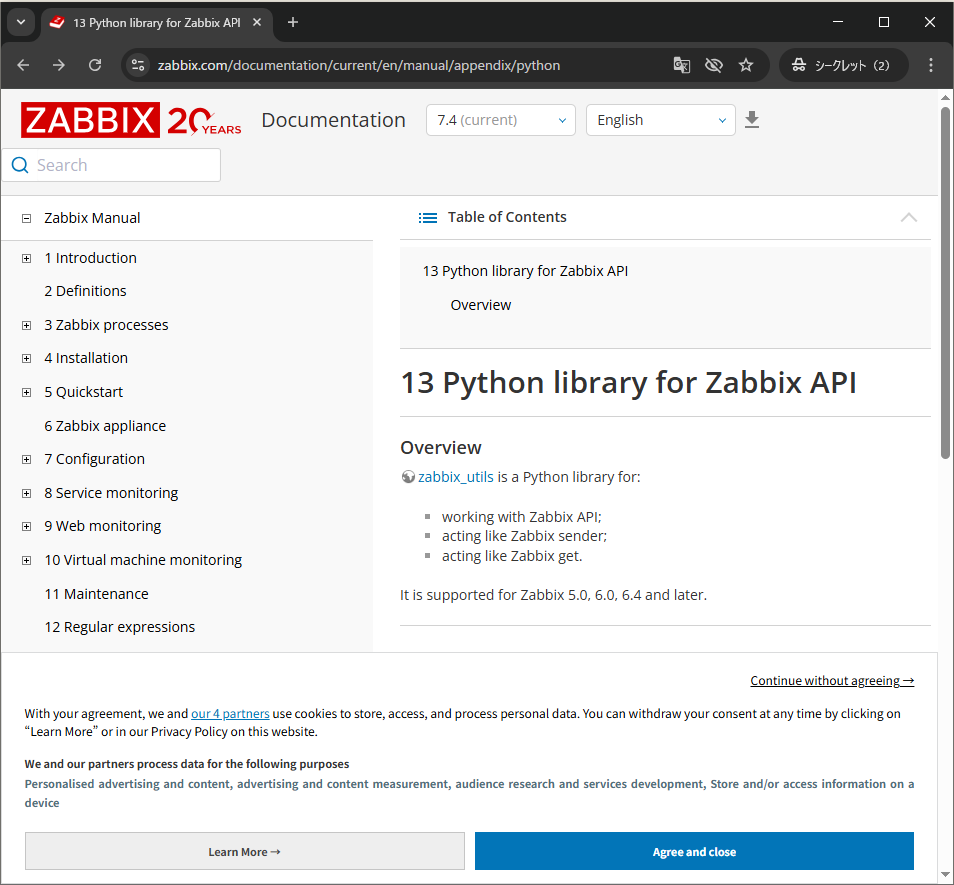
⇧「Python library for Zabbix API」として「zabbix_utils」という「Python」製の「ライブラリ」が用意されているそうな。
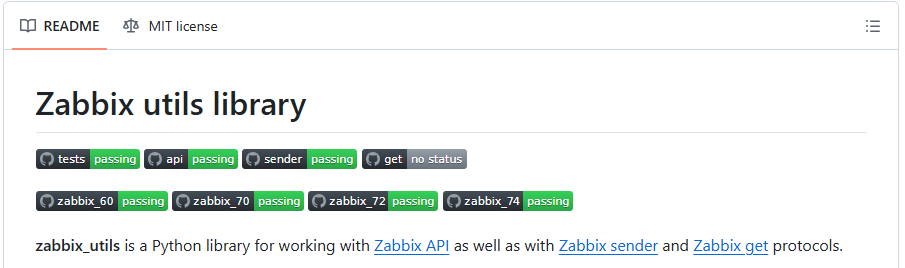

⇧ 純度100%%混じり物なしの「Python」製ですな。
実際の処理はというと、
    def send_api_request(self, method: str, params: Optional[dict] = None,
                         need_auth=True) -> dict:
        """Function for sending request to Zabbix API.

        Args:
            method (str): Zabbix API method name.
            params (dict, optional): Params for request body. Defaults to `None`.
            need_auth (bool, optional): Authorization using flag. Defaults to `False`.

        Raises:
            ProcessingError: Wrapping built-in exceptions during request processing.
            APIRequestError: Wrapping errors from Zabbix API.

        Returns:
            dict: Dictionary with Zabbix API response.
        """

        request_json = {
            'jsonrpc': '2.0',
            'method': method,
            'params': params or {},
            'id': str(uuid4()),
        }

        headers = {
            'Accept': 'application/json',
            'Content-Type': 'application/json-rpc',
            'User-Agent': f"{__name__}/{__version__}"
        }

        if need_auth:
            if not self.__session_id:
                raise ProcessingError("You're not logged in Zabbix API")
            if self.version < 6.4:
                request_json['auth'] = self.__session_id
            elif self.version <= 7.0 and self.__basic_cred is not None:
                request_json['auth'] = self.__session_id
            else:
                headers["Authorization"] = f"Bearer {self.__session_id}"

        if self.__basic_cred is not None:
            headers["Authorization"] = f"Basic {self.__basic_cred}"

        log.debug(
            "Sending request to %s with body: %s",
            self.url,
            request_json
        )

        req = ul.Request(
            self.url,
            data=json.dumps(request_json).encode("utf-8"),
            headers=headers,
            method='POST'
        )
        req.timeout = self.timeout

        # Disable SSL certificate validation if needed.
        if not self.validate_certs:
            ctx = ssl.create_default_context()
            ctx.check_hostname = False
            ctx.verify_mode = ssl.CERT_NONE
        elif self.ssl_context is not None:
            ctx = self.ssl_context
        else:
            ctx = None

        try:
            resp = ul.urlopen(req, context=ctx)
            resp_json = json.loads(resp.read().decode('utf-8'))
        except URLError as err:
            raise ProcessingError(f"Unable to connect to {self.url}:", err) from None
        except ValueError as err:
            raise ProcessingError("Unable to parse json:", err) from None

        if method not in ModuleUtils.FILES_METHODS:
            log.debug(
                "Received response body: %s",
                resp_json
            )
        else:
            debug_json = resp_json.copy()
            if debug_json.get('result'):
                debug_json['result'] = shorten(debug_json['result'], 200, placeholder='...')
            log.debug(
                "Received response body (clipped): %s",
                json.dumps(debug_json, indent=4, separators=(',', ': '))
            )

        if 'error' in resp_json:
            err = resp_json['error'].copy()
            err['body'] = request_json.copy()
            raise APIRequestError(err)

        return resp_json
⇧ 上記のメソッドで、「Zabbix API」を実行しに行っているっぽい。
一応、「Python」の「request」という「ライブラリ」でも「Zabbix API」の実行はできると思うのだが、「Zabbix」の公式の「ドキュメント」で紹介されてるぐらいなので、「zabbix_utils」を利用するようにした方が良いんかな?
いずれにしろ、「Zabbix API」の実行に必要な「情報」については、
Overview
The Zabbix API allows you to programmatically retrieve and modify configuration of Zabbix and provides access to historical data. It is widely used to:
- create new applications to work with Zabbix;
- integrate Zabbix into a third-party software;
- automate routine tasks.
⇧ 公式の「Zabbix」の「ドキュメント」の内の「Zabbix API」の「ドキュメント」を確認する必要がありますが...
毎度モヤモヤ感が半端ない…
今回はこのへんで。
